July 30, 2026
Kevin "KJ" Jarnagin
I want to start with something that’s worth saying plainly: I’m an Apple person. Have been for years. My household runs iPhones, I’ve got a MacBook, and my relationship with that ecosystem is the comfortable kind of comfortable where you stop thinking about it. So, when I started looking seriously at the Unplugged UP Phone, I went in with the natural skepticism of someone who has optimized their digital life around a completely different platform.
The privacy angle is what got my attention. Not because I’m doing anything that needs hiding — that’s not the point — but because I started paying attention to what my phone was actually doing in the background. Where my data was going. Who was collecting what. What apps were quietly reporting back to servers I’d never heard of. The more I looked, the less comfortable I was with the answer. And I think if you’re honest about it, a lot of people in this community feel exactly the same way. We’ve been watching the government try to build databases on gun owners for years. The idea that our phones might be helping with that — or something like it — is not a crazy thing to think about.
So, I switched to the UP Phone. Or more accurately, I added it as my daily driver while keeping the Apple setup for specific things that I knew wouldn’t work as well. Here’s what I actually found.
“The setup was easier than I expected. I had braced for a technical headache and instead got something that felt more like setting up a new iPhone than anything else. It’s not a nerd phone. It’s a privacy phone that normal people can use.”
This was genuinely the first surprise. Privacy-focused phones have a reputation for being technical projects more than consumer products — the kind of thing where you spend a weekend compiling a custom operating system and praying nothing breaks. The UP Phone is not that. You get an hour session with an Unplugged professional for setup, which is better than going into a store. The older I get the less I enjoy going into a store and sitting around for hours.
Unplugged ships the phone with UnpluggedOS already installed and configured. The onboarding process walks you through the basics: connect to Wi-Fi, set up your privacy suite (VPN, firewall, encrypted messenger), add your accounts. The interface, as one reviewer noted, “feels immediately familiar to anyone switching from iOS” — home screen with app icons, dock at the bottom for your most-used apps, swipe gestures that behave roughly the way you expect them to. I was genuinely functional within about an hour of unboxing, which is faster than my last iPhone transition took.
The only friction in setup was the expected one: some apps I relied on are not available through the Unplugged App Center because they depend on Google services that UnpluggedOS deliberately doesn’t include. I had done enough research to know this going in and had already made decisions about which apps were essential versus which I’d be fine without. But it’s worth being clear about: if you have specific apps you cannot live without, check the App Center compatibility list before you buy. That list exists for exactly this reason.
Here’s where the UP Phone earns what it costs, and it’s worth understanding not just what the features are but what they’re protecting against in terms you can actually picture.
Every Android phone you’ve ever owned — Samsung, OnePlus, Pixel, all of them — runs Google Mobile Services in the background. GMS is the layer that allows Google to track your location, monitor what apps you use, when you use them, and build the behavioral profile that they sell to advertisers. You can see some of this in your Google account’s “Data and Privacy” section if you’re curious and strong-stomached. The UP Phone runs UnpluggedOS, which is built on the Android Open Source Project but with Google Mobile Services completely removed. There is no GMS. Google cannot see what’s happening on this phone because there’s no pipeline back to Google’s servers. That’s not a setting you toggle. It’s an architectural fact.
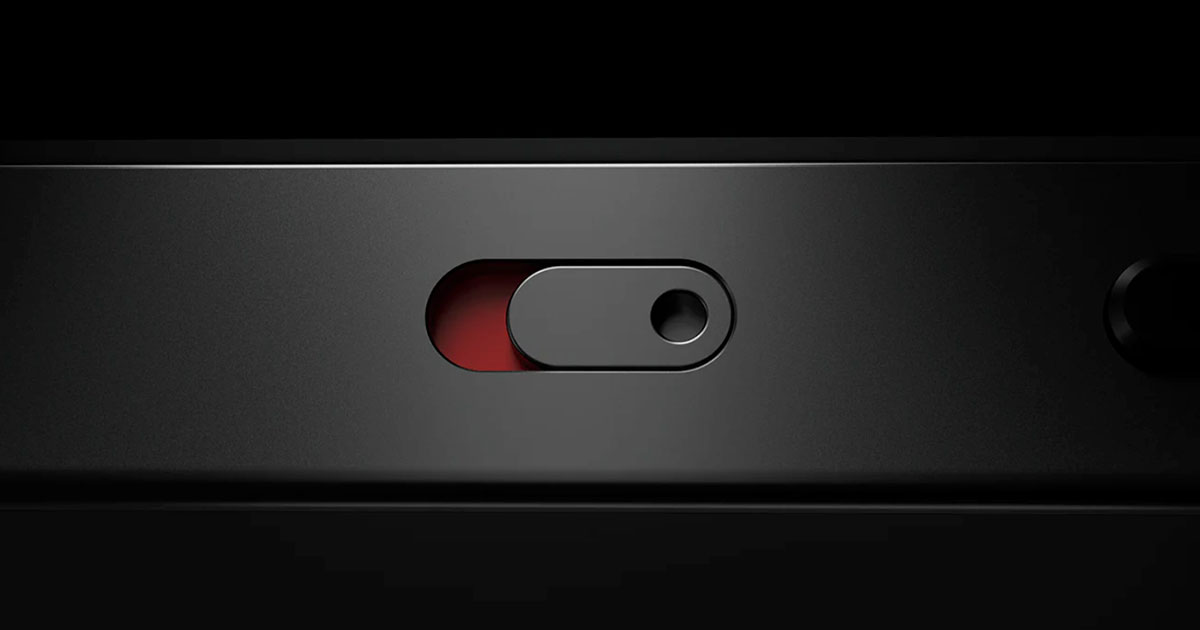
This is the feature that gets the most attention and deserves it. This is like having a built-in Faraday Cage. The UP Phone’s technology includes a physical hardware battery disconnect switch. When you flip it, the battery is physically disconnected from the phone’s circuits. Not software-off — physically disconnected. That means the low-power chips that normally keep your phone marginally alive even when “off” — maintaining cellular handshakes, Bluetooth beacons, location pings — are actually powered down. There are no digital breadcrumbs when the kill switch is engaged.
There are also hardware controls for the camera, microphone, cellular, and Wi-Fi. When you cut these at the hardware level rather than the software level, a compromised app or a piece of malware cannot override your decision. Software-level privacy controls are only as good as the software. Hardware controls are physics.
I’ll be honest: the practical frequency with which I use the full kill switch is low. Day-to-day life doesn’t usually call for true electronic blackout. But there are specific situations — sensitive conversations, meetings where I don’t want any possibility of ambient data collection, or just times when I genuinely want to be off — where the knowledge that I can actually be off, not just software-off, is meaningful. It changes the feeling of the thing.
Privacy Mode is the feature that runs all the time in the background and that you notice most in the day-to-day. It actively curtails background app activity — apps can’t phone home, can’t send telemetry, can’t establish connections you didn’t authorize. The built-in firewall blocks third-party trackers at the OS level, not the app level. That matters because ad trackers and data collectors are often embedded in apps as SDKs — pieces of code the app developer included that run independently of the app’s stated purpose. The firewall doesn’t care what app is running. It blocks the tracker regardless.
An independent security firm called Raxis tested the UP Phone’s technology and found no evidence of third-party tracker connections or unauthorized data transmissions. That’s not a marketing claim from Unplugged. It’s a third-party security test result, and it’s the kind of external validation that matters.
This one was new to me and I’ve come to appreciate it more than I expected. The UP Phone lets you control, on a per-app basis, whether that app can connect to the internet at all. Not “allow in background vs. always” like iOS gives you. Actually allow or deny network access entirely. The practical effect is that you can run apps in a fully offline mode, pulling no data and sending no data, for apps you use locally and don’t need cloud connectivity for. The mystery traffic problem — data constantly being sent to servers you’ll never know about — gets eliminated one app at a time as you configure your preferences.
Here’s the thing about the new generation of the UP Phone that landed most personally. One of the features Unplugged has built into the upgraded software is a visibility layer — it shows you what’s being blocked in something close to real time. You can see the tracker attempts. You can see the connection requests your apps are making that the firewall is denying. You can see, in concrete terms, what a normal smartphone would be leaking on your behalf if you weren’t running this OS.
That visibility is both reassuring and quietly unsettling. Reassuring because you can see the protection actually working — it’s not abstract, it’s a log of what got blocked. Unsettling because the volume is higher than most people expect. There are a lot of things trying to reach out on a normal phone. The UP Phone shows you what those things are and stops them. Most phones just let them through silently.
That’s the upgraded feature of the newest generation that I keep coming back to. Not a spec bump or a new camera mode — the ability to see what the phone is defending you against. It makes the privacy case concrete in a way that a spec sheet never could.
This wouldn’t be a Gun Talk Media review if we didn’t tell you both sides of the story. The UP Phone has real tradeoffs and you should go in knowing what they are.
The UP Phone runs a MediaTek Dimensity 1200 chipset with 8GB of RAM. Those are 2021-era flagship specs, and in 2026 they put the UP Phone behind what comparably-priced mainstream smartphones offer in raw performance. For everyday use — calls, messaging, browsing, maps, podcasts, social media, photos — you won’t feel it. For mobile gaming, AI-intensive tasks, or heavy video processing, you might. The camera is capable but not competitive with a current iPhone or Samsung flagship at the same price. You are paying for privacy architecture, not bleeding-edge hardware.
No Google Play Services means no Google Play Store, which means some apps aren’t available and some that are available work differently than you’d expect. The Unplugged App Center is the primary source for applications, and it’s grown considerably since launch. But it is not the Play Store, and it is not the App Store. If you have apps that are deeply integrated with Google or Apple ecosystem services — Google Pay, Apple Fitness, platform-specific gaming — those won’t work the same way or at all.
The UP Phone is $989 and includes one year of the Unplugged privacy suite — the VPN, firewall, encrypted cloud storage, and private messenger. After the first year, those services cost $12.99 per month. That’s $155.88 annually, or roughly the cost of a decent holster, for continued access to the full privacy feature set. The phone itself continues to work without the subscription, but the full suite of privacy services requires it.
| Display | 6.67-inch AMOLED │ 1080 x 2400 resolution │ 120Hz refresh |
|---|---|
| Processor | MediaTek Dimensity 1200 │ 8GB RAM │ 256GB internal storage |
| Storage expansion | MicroSD up to 1TB │ Offline-first data philosophy |
| OS | UnpluggedOS / LibertOS │ AOSP-based │ Google Mobile Services completely removed |
| Privacy suite | Built-in no-logs VPN │ On-device firewall (blocks trackers at OS level) │ Privacy Mode │ Per-app network controls │ Encrypted cloud storage │ Private messenger |
| Kill switches | Physical hardware battery disconnect │ Hardware camera / mic / cellular / Wi-Fi controls │ True off — not software off |
| Tracker blocking | Independent test by Raxis found no evidence of third-party tracker connections or unauthorized data transmissions |
| Cameras | Triple rear camera system │ Capable for everyday use │ Not flagship-class |
| Battery | Removable │ Physical disconnect switch │ No low-power chip data leakage when disconnected |
| App source | Unplugged App Center │ Growing catalog │ Some mainstream apps unavailable — verify before purchase |
| Price | $989 includes first year of full privacy suite │ $12.99/month ($155.88/year) after year one │ unplugged.com |
I want to bring this back around to why we’re talking about a smartphone on a firearms media platform, because that’s a fair question.
The Second Amendment community has spent years watching databases get built, watching purchase records get scrutinized, watching legal gun owners get treated as persons of interest by virtue of exercising a constitutional right. The people in this audience understand at a gut level that keeping your business your own is not paranoia. It’s a principle. It’s the same principle that produces the Fourth Amendment.
Your phone knows more about you than almost any other object in your life. It knows where you go, what you buy, who you call, what you read, when you sleep and when you wake up. That information is being collected, packaged, and sold on a continuous basis by the devices that most of us carry without thinking about it. For a gun owner who already thinks carefully about what information they put out into the world, a phone that actively defends your privacy rather than monetizing it is a genuinely useful tool.
That’s what the UP Phone is. Not perfect — the hardware is midrange, the app selection has gaps, and the annual subscription adds up. But the privacy architecture is real, the protection is independently verified, and the ease of use for non-technical people — including Apple users who expected a learning curve — is better than the reputation of privacy phones usually suggests.
If you’ve been thinking about it, the Unplugged website has a quiz that helps you figure out whether it’s the right fit for your specific use case. Start there. Visit unplugged.com.
Photo courtesy of Unplugged LLC




Gun Talk Giveaway
One lucky winner will bring home:
Open to U.S. residents 21+ only. Void where prohibited.